The Intentional iPhone System
In development A course by Arian Rousta

Photography on iPhone you already have.

A photography course about taking better photos with the iPhone you already have. Five modules and three tools are planned.

Join the waitlist Free. One email when the course is ready.
In development 00 / Hero
01 · REFRAME

The course is about the decisions.

Light · Frame · Timing · Restraint

The course focuses on the decisions made before and after the shot: how you read light, frame the scene, time the photograph and edit with restraint.

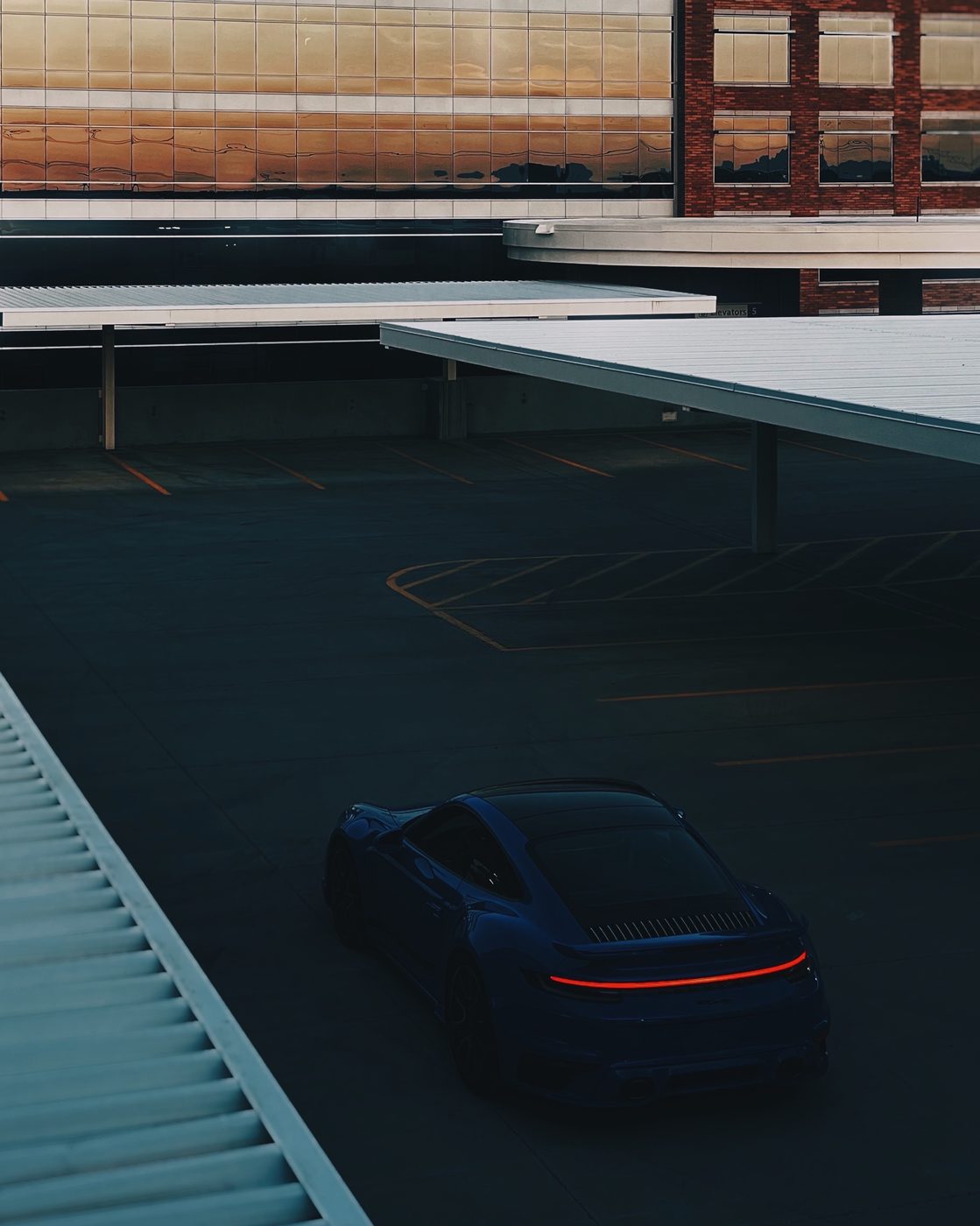
Shot on iPhone, Los Angeles from above

Shot on iPhone

Photographed by Arian Rousta
02 · PROOF

Every photograph here was shot on an iPhone.

All photographs on this page were taken on an iPhone by Arian Rousta.

Shot on iPhone · Arian Rousta

03 · PRINCIPLES

Three decisions before the edit.

Light, frame and timing are three of the core decisions covered in the course.

Light01
Read the light.
Look at its direction before you take the photograph.
Frame02
Decide what stays.
Simplify the frame and choose what belongs before you press the shutter.
Timing03
Choose when to shoot.
The course treats timing as a decision, not something to fix later.
04 · AUDIENCE

This course may be for you if:

  • 01You want better photos with the iPhone you already have.
  • 02You care more about decisions than camera gear.
  • 03You want a simpler way to think about framing.
  • 04You want to edit without overdoing it.
  • 05You want a repeatable photo check before you shoot.
  • 06You want a practical photography course built around iPhone.
05 · SYSTEM

Five planned modules.

A preview of the five modules in development.

Module 01
Why Your Photos Don't Feel Right
Why photos can feel flat, random or forgettable, and how to diagnose what feels off before you make a change.
Three common mistakes Read the scene first What feels off Diagnose before you fix
Module 02
Light, Frame, Timing
Light, framing and timing decisions to make before editing.
Read the light Simplify the frame Choose the timing Decide before editing
Module 03
Edit Without Overdoing It
A planned editing process focused on making deliberate changes without overdoing them.
Edit with restraint Make one change at a time Compare before and after Know when to stop
Module 04
The 15-Minute Reset
A repeatable reset for reviewing a photograph and deciding what to change next.
Use the reset card Review the frame Review the edit Choose the next change
Module 05
What To Do With This Now
A final module for putting the course into practice with the photographs you make next.
Use the checklist Use the reset card Use the edit-order card Keep practicing
06 · INCLUDED

Three planned tools.

The course plan includes three reference tools designed to support the five modules.

The 15-Minute Reset
Same phone.
Same scene.
Different decisions.
01 · Decide what matters
02 · Position for light
03 · Simplify the frame
04 · Take two shots
05 · Edit in order
Included with the course
Tool 01 · PDF · PNG The 15-Minute Reset Card a reference card for working through the reset.
Intentional Photo
Before you
press the button.
☐ Light direction read
☐ One distraction removed
☐ Subject isolated
☐ Timing worth waiting
☐ Two frames taken
Included with the course
Tool 02 · PDF The Intentional Photo Checklist a checklist to use around the photograph.
The Edit Order
Stop when it
feels obvious.
01 · Exposure+0.3
02 · Contrast+1.0
03 · Temperature−0.4
04 · Tint+0.2
05 · Subtle grain+0.6
Included with the course
Tool 03 · PDF The Edit Order Cheat Sheet a quick reference for edit order.
Shot on iPhone, Los Angeles overlook

Shot on iPhone

Photographed by Arian Rousta
07 · WHY

Why I made this course.

I have been photographing since 2007 and previously served as Director of Photography at Grads Photography, overseeing senior and portrait programs at volume.

This course applies that photography background to the iPhone: five planned modules about taking better photographs with the phone you already have.

The course is still in development. Nothing is recorded yet, and there is no launch date.

Arian Rousta
Creator · @arianrousta
iPhone Photography Five modules Three tools Free waitlist In development
08 · PRACTICE

See the decisions.

The before-and-after example shows the kinds of decisions the course discusses. It is an example from my own work, not a promise of a student result.
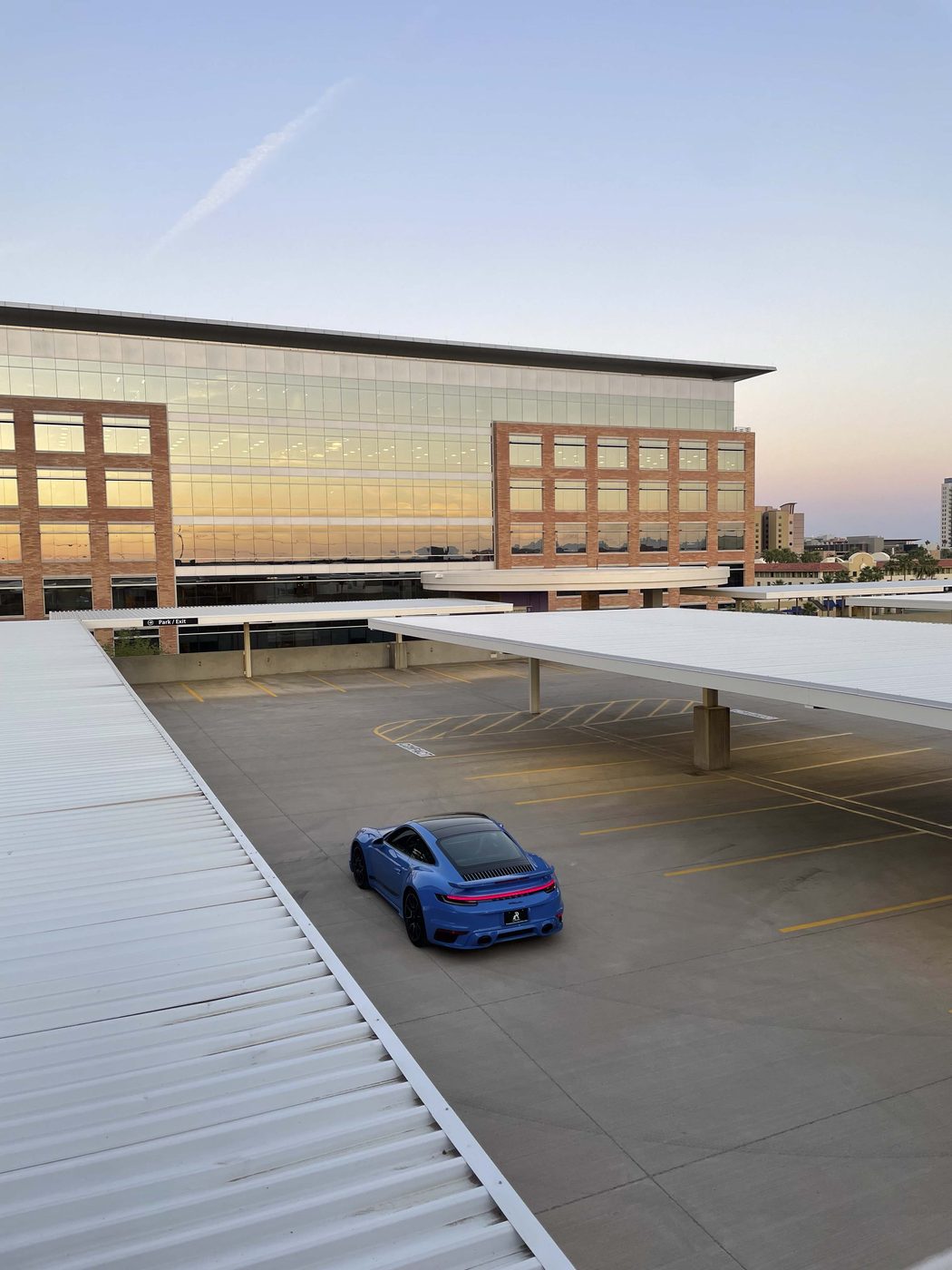
Before: casual phone snap Before
After: same scene, intentional After
01 · Light Read the light. Notice its direction before the photograph.
02 · Frame Choose the frame. Decide what stays in the photograph.
03 · Timing Choose the timing. Decide when to take the photograph.
09 · SHOT ON IPHONE

Made with an iPhone.

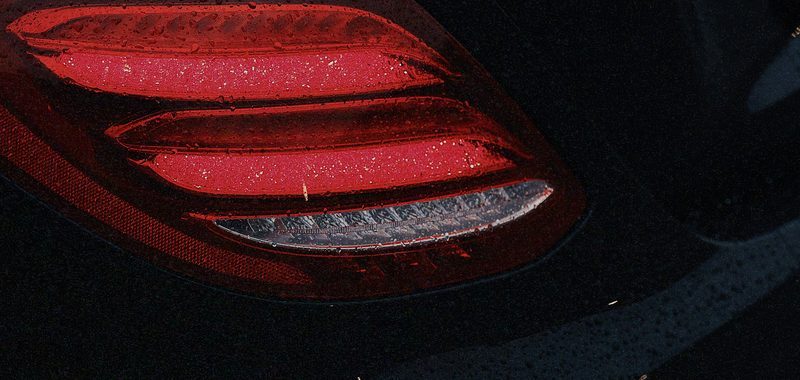
Every photograph on this page was taken on an iPhone by Arian Rousta.
Rolls Royce at sunset, shot on iPhone
Shot on iPhone · Light
AMG taillights, shot on iPhone
Shot on iPhone · Frame
10 · WAITLIST

In development. Join the waitlist.

The course is still in development. Join the free waitlist and I will send one email when it is ready. No account or payment is required.

Free. One email when the course is ready.
Privacy policy

Free waitlist 5 modules 3 tools In development
12 · QUESTIONS

Answers, briefly.